Web applications
Internal browser-based tools, administration interfaces, case workflows, dashboards and focused specialist applications.
When standard software is too broad, too rigid or simply misses the actual process.I develop browser-based tools, internal applications and lean digital workflows for small businesses and small teams that need to achieve a lot with limited resources. The aim is to reduce avoidable routine work and build focused tools where standard software does not quite fit.
Small businesses rarely need the largest possible platform. They need a solution that removes friction without creating new overhead. The starting point is the process that needs to become clearer, faster or more reliable — then I build the smallest sensible solution for everyday use.
Internal browser-based tools, administration interfaces, case workflows, dashboards and focused specialist applications.
When standard software is too broad, too rigid or simply misses the actual process.File processing, document flows, recurring checks, data transformation and connections between existing systems.
When people keep repeating the same steps because the systems around them do not.Practical tooling around product data, marketplaces, orders, fulfilment, invoices, payments and internal e-commerce operations.
Built from real operational requirements rather than generic feature lists.Classic company and project websites built lean when a large CMS would only add maintenance, dependencies and unnecessary complexity.
Fast loading, stable operation, full control over code and data, fewer dependencies and a focus on what the site actually needs.You do not need a finished technical specification. If a small team is spending valuable time on repetitive work, awkward handovers or disconnected data, that is often enough to start.
“We still maintain this in Excel and it is becoming difficult to control.”
“The information exists, but it is spread across several systems or files.”
“Employees repeat the same clicks, checks or exports every day.”
“Our standard software does almost everything — except the part we actually need here.”
“We need a small internal tool, not a multi-year software project.”
“We need a clear web interface for an existing process, database or data source.”
Internal tools, data workflows, dashboards and focused utilities — built around real processes rather than a standard template. The screens below show interfaces derived from applications that grew out of practical requirements.
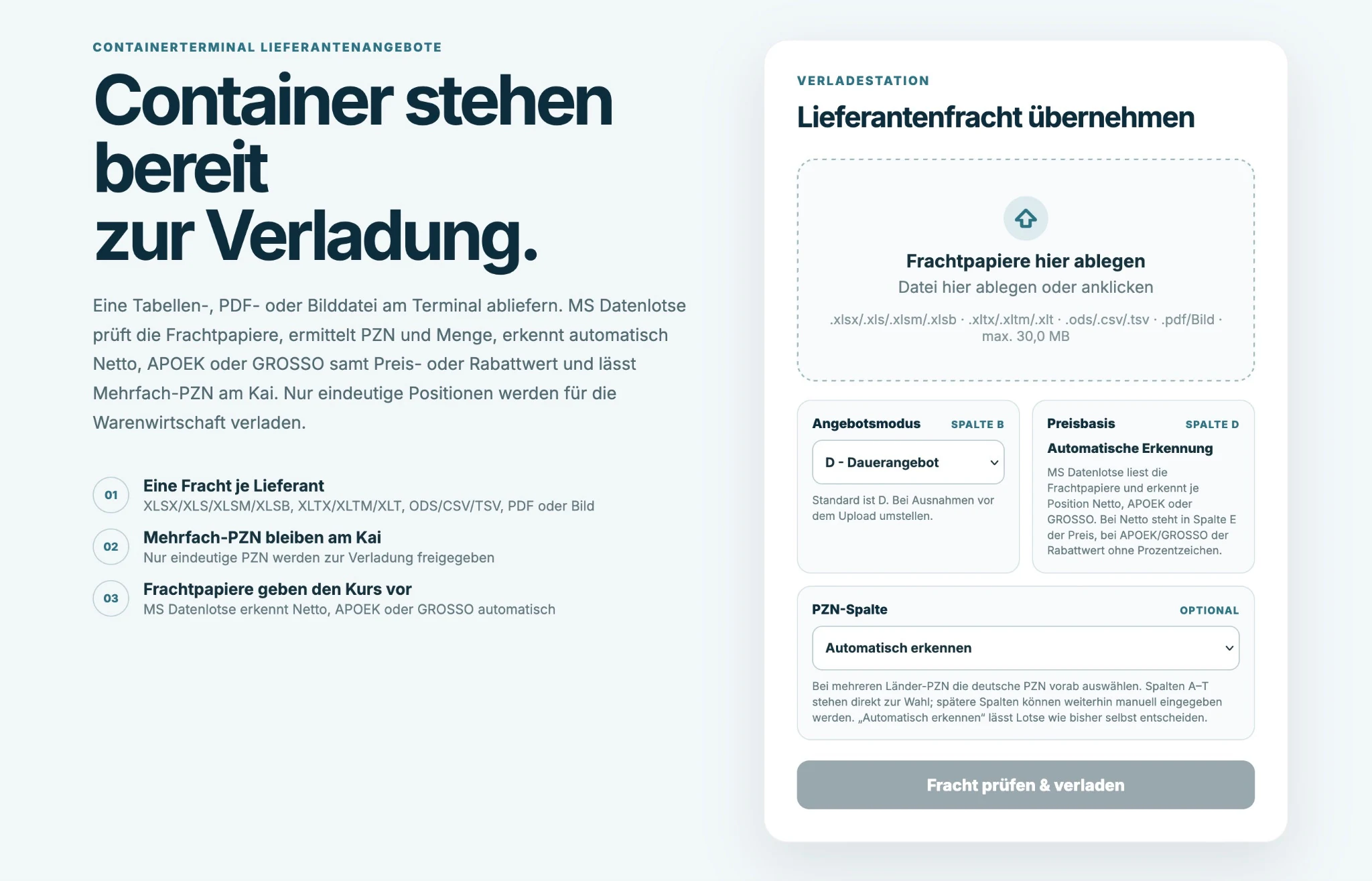 2 VIEWS
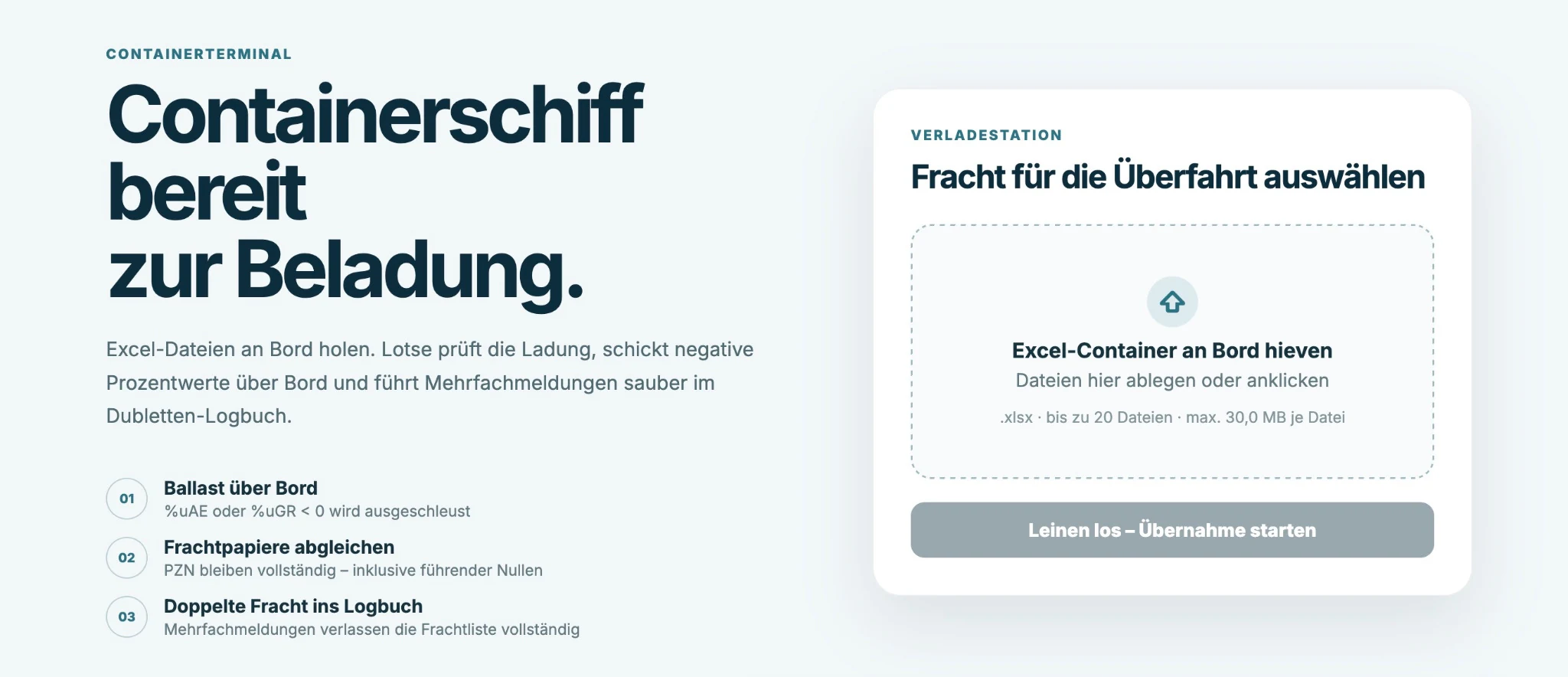
A web application that accepts spreadsheets and related input files, checks the contents automatically, restructures them and prepares the data for downstream use. It turns a manual Excel-heavy routine into a guided digital workflow.
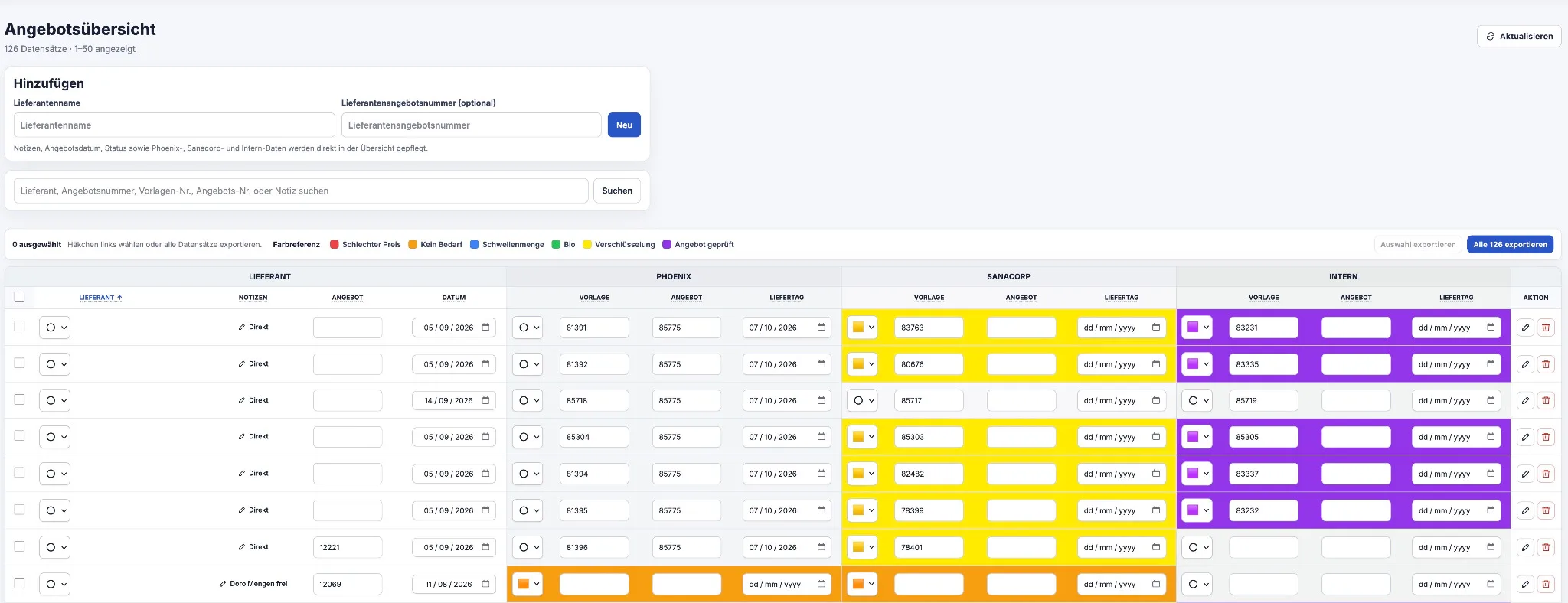 2 VIEWS
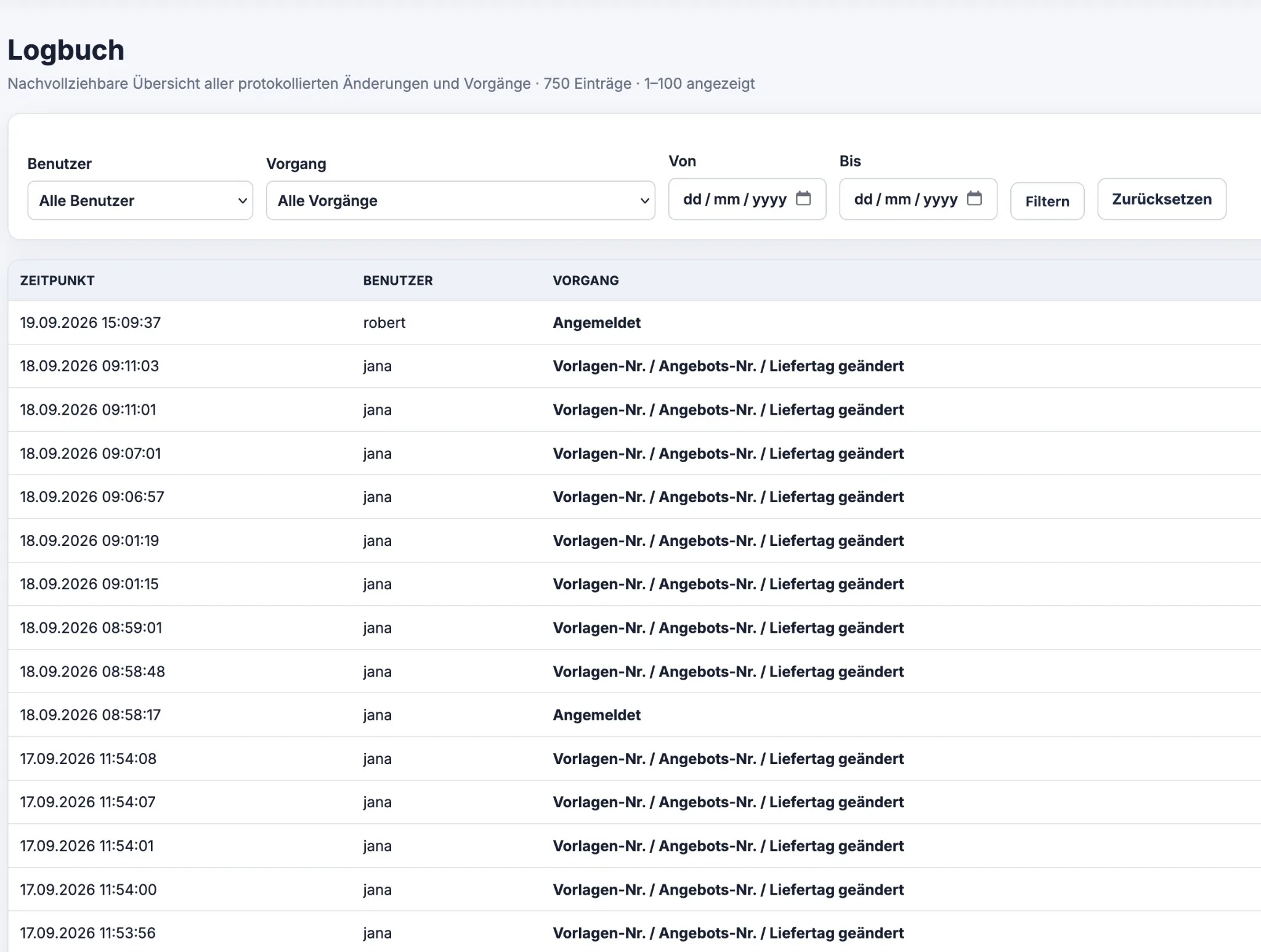
A central workspace for supplier offers, reference numbers, dates and internal status information. Colour-coded states expose priorities at a glance, while a log keeps relevant changes traceable.
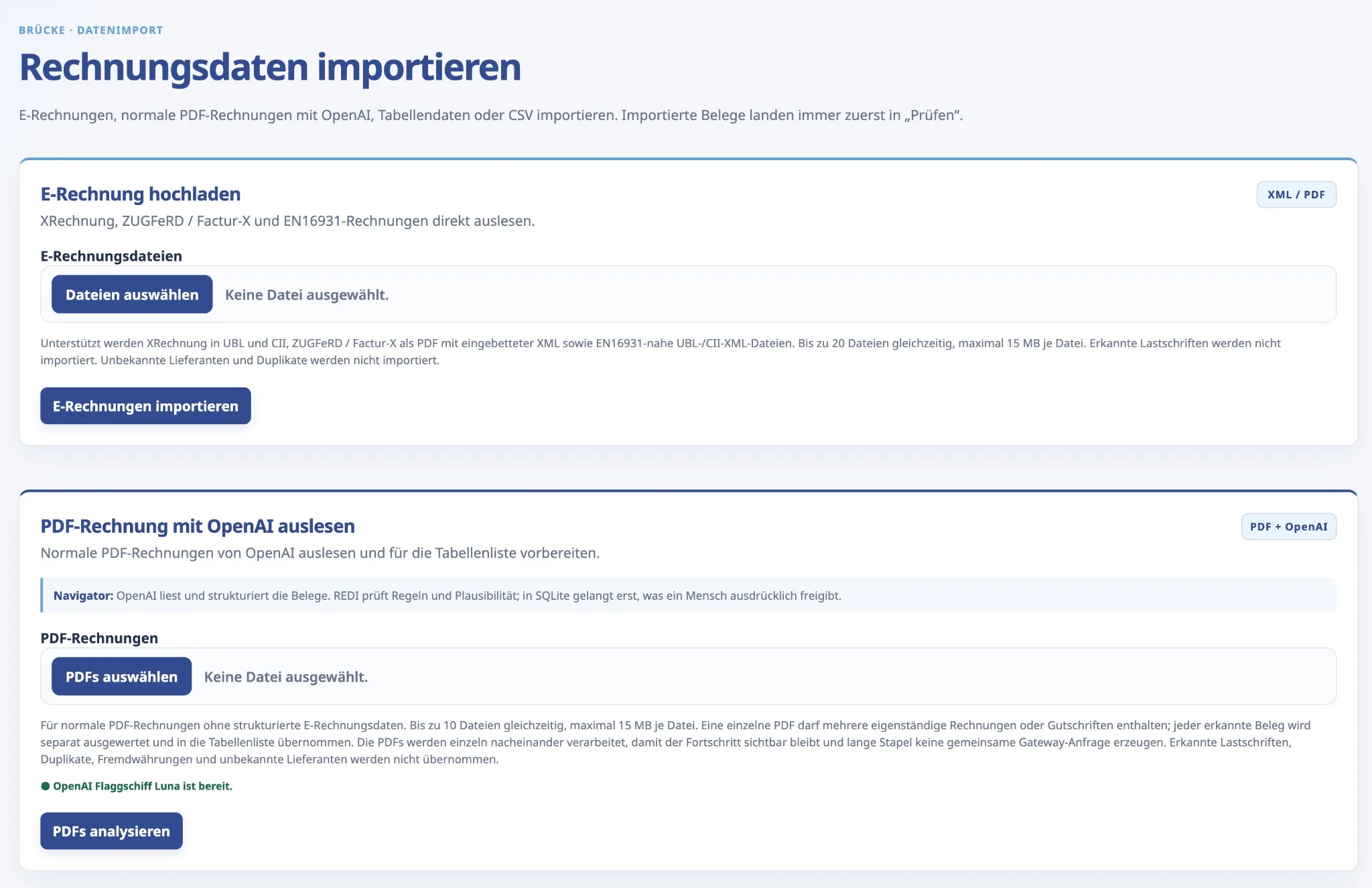 3 VIEWS
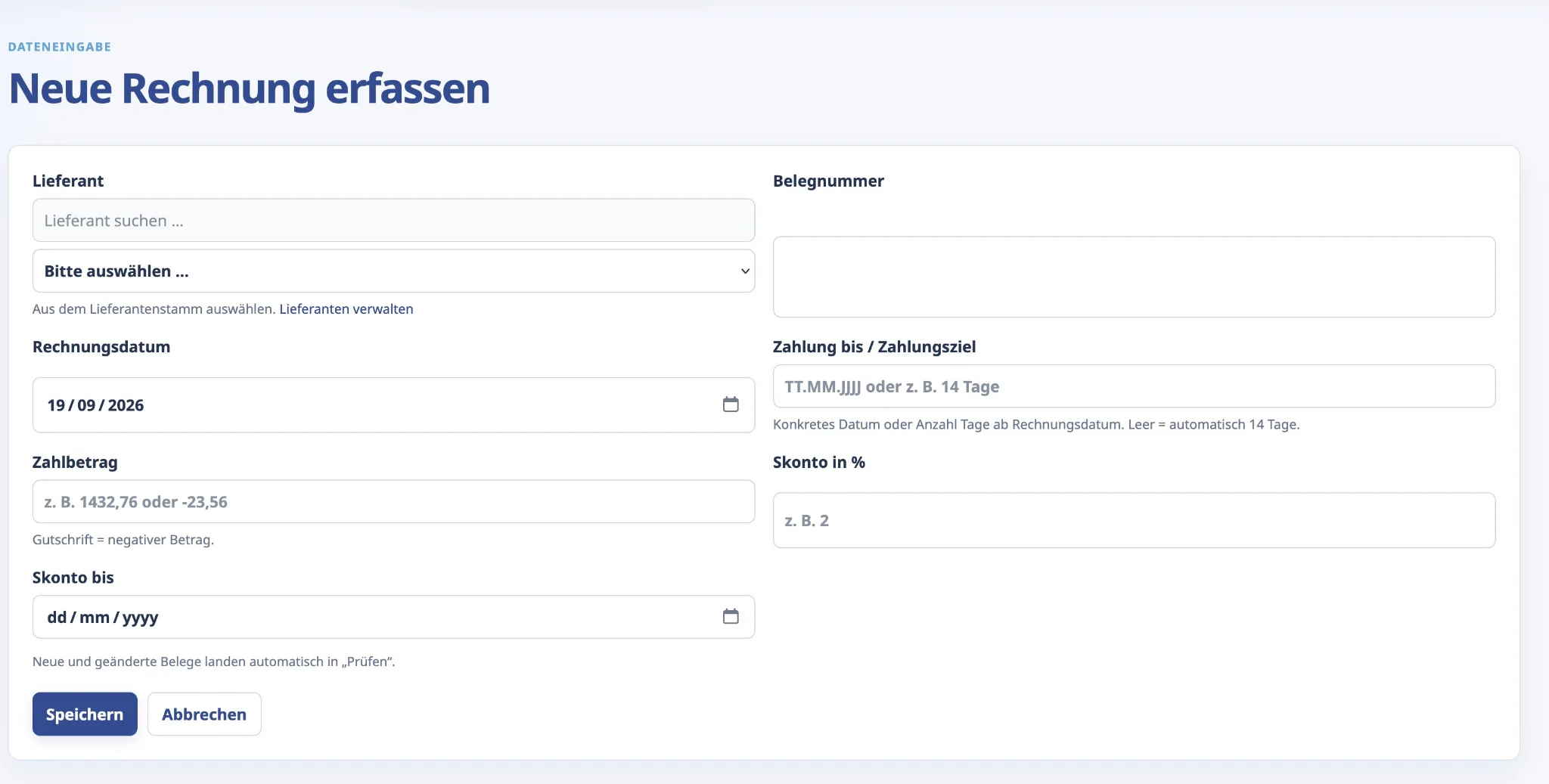
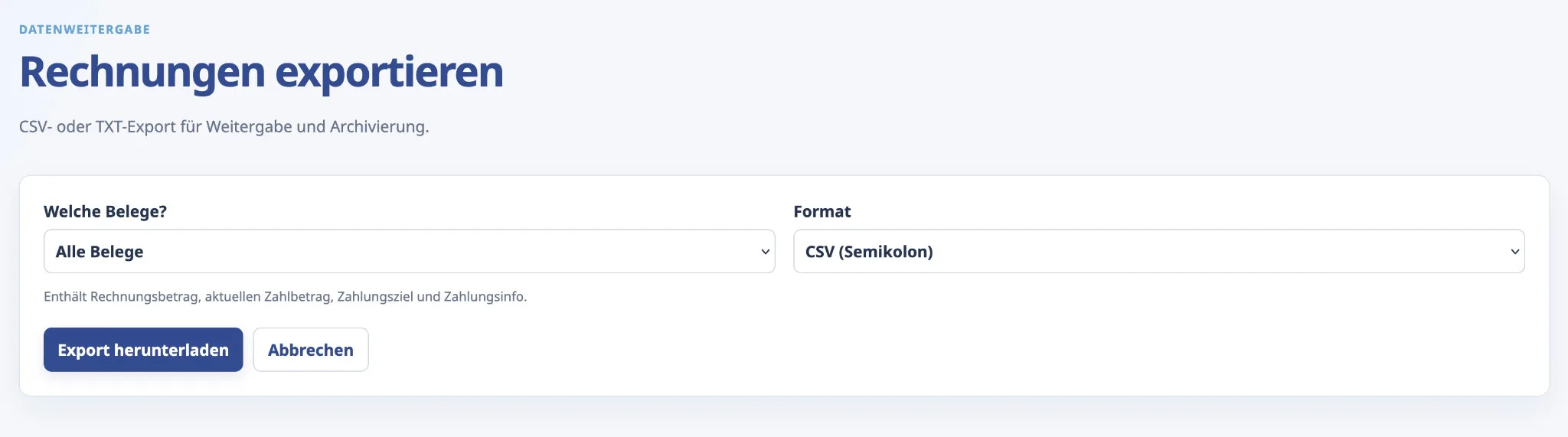
Capture invoices manually or import e-invoices, PDFs and structured data, prepare them for checking and pass the results on in a controlled way. One connected workflow instead of several isolated steps.
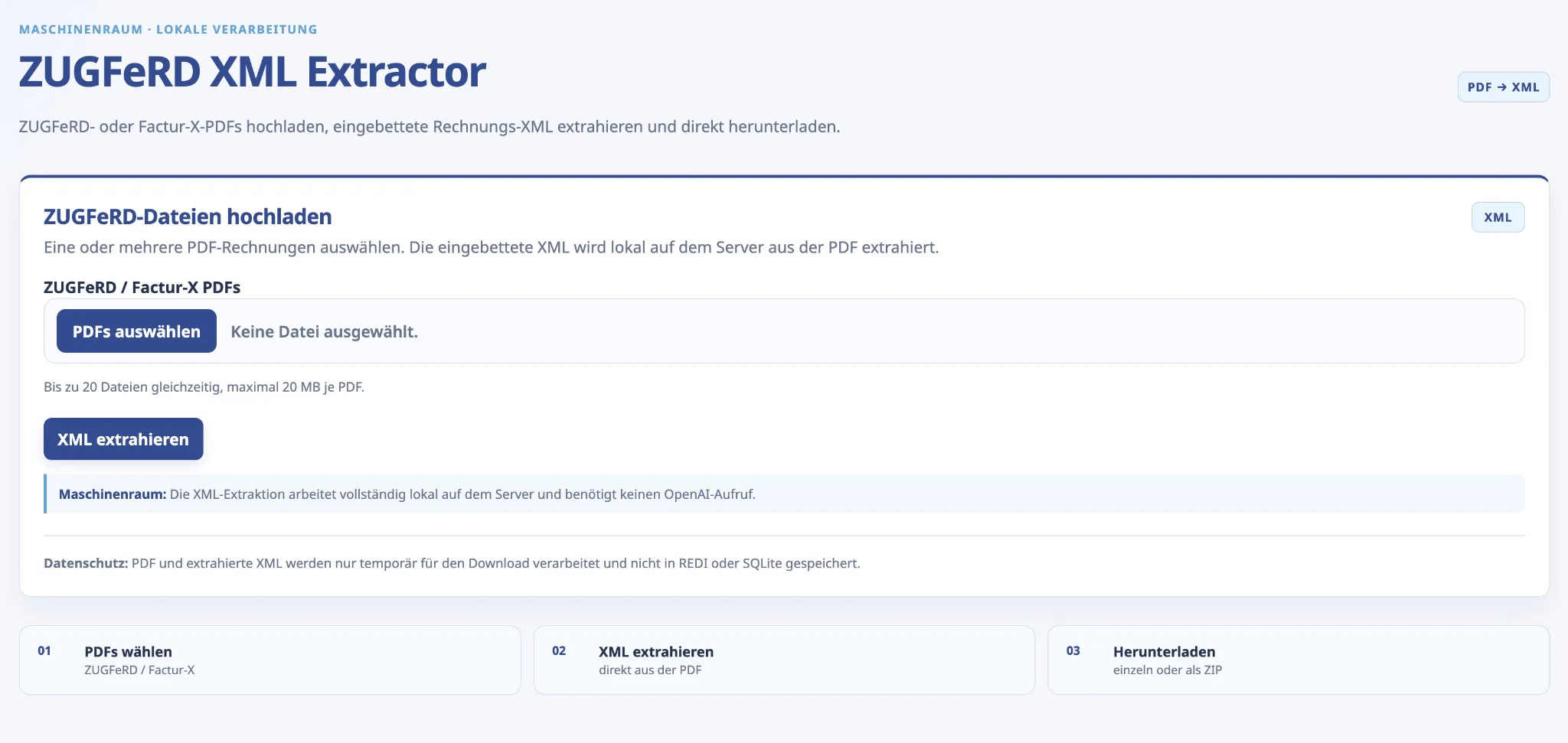
A focused browser tool for one very specific task: extract embedded invoice XML from one or several hybrid PDF invoices and make the structured files directly available.
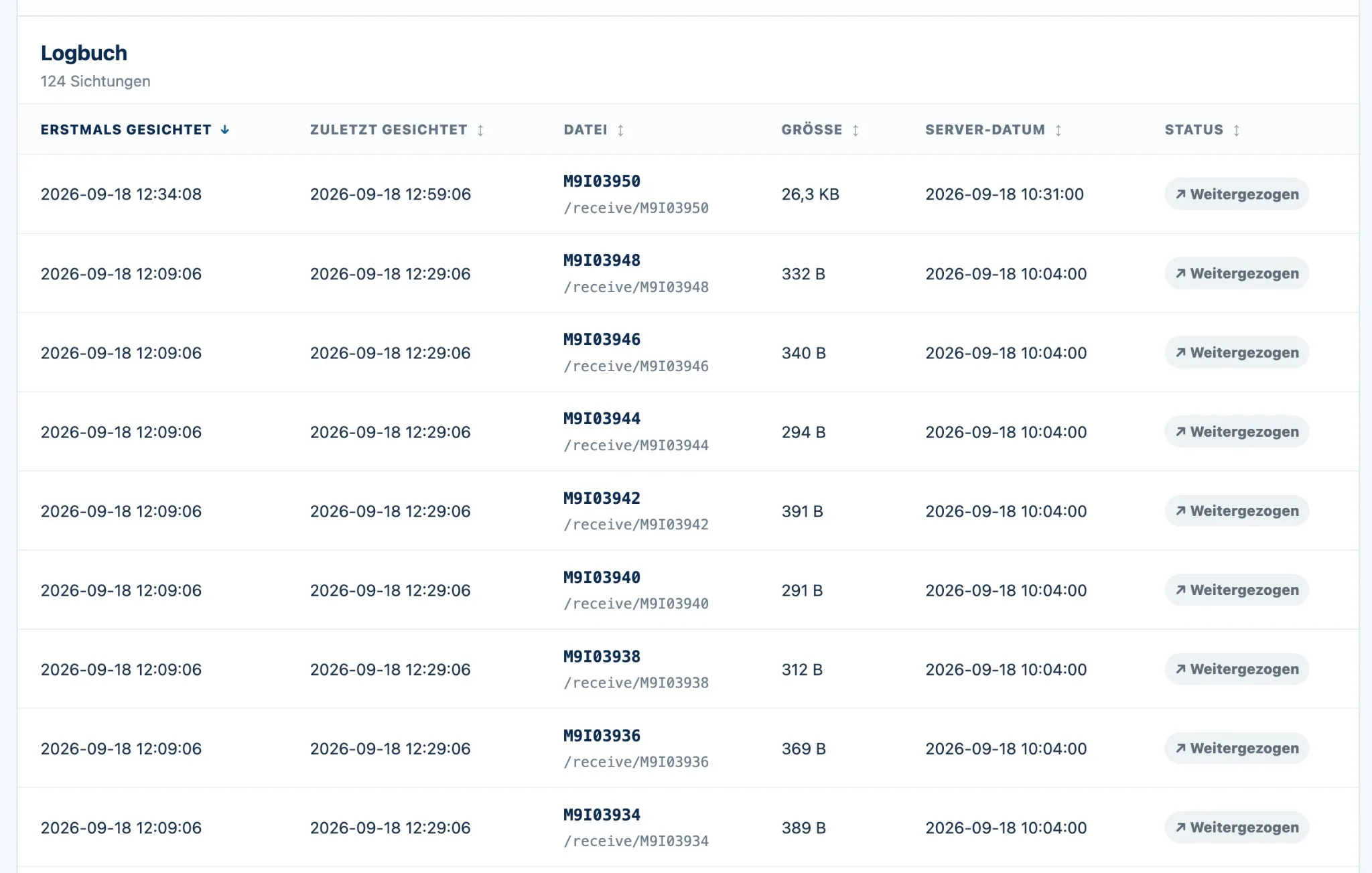
A monitoring view for recurring data deliveries and incoming files. First sighting, latest activity, file details and processing status make it easier to see what has arrived and what has already moved on.
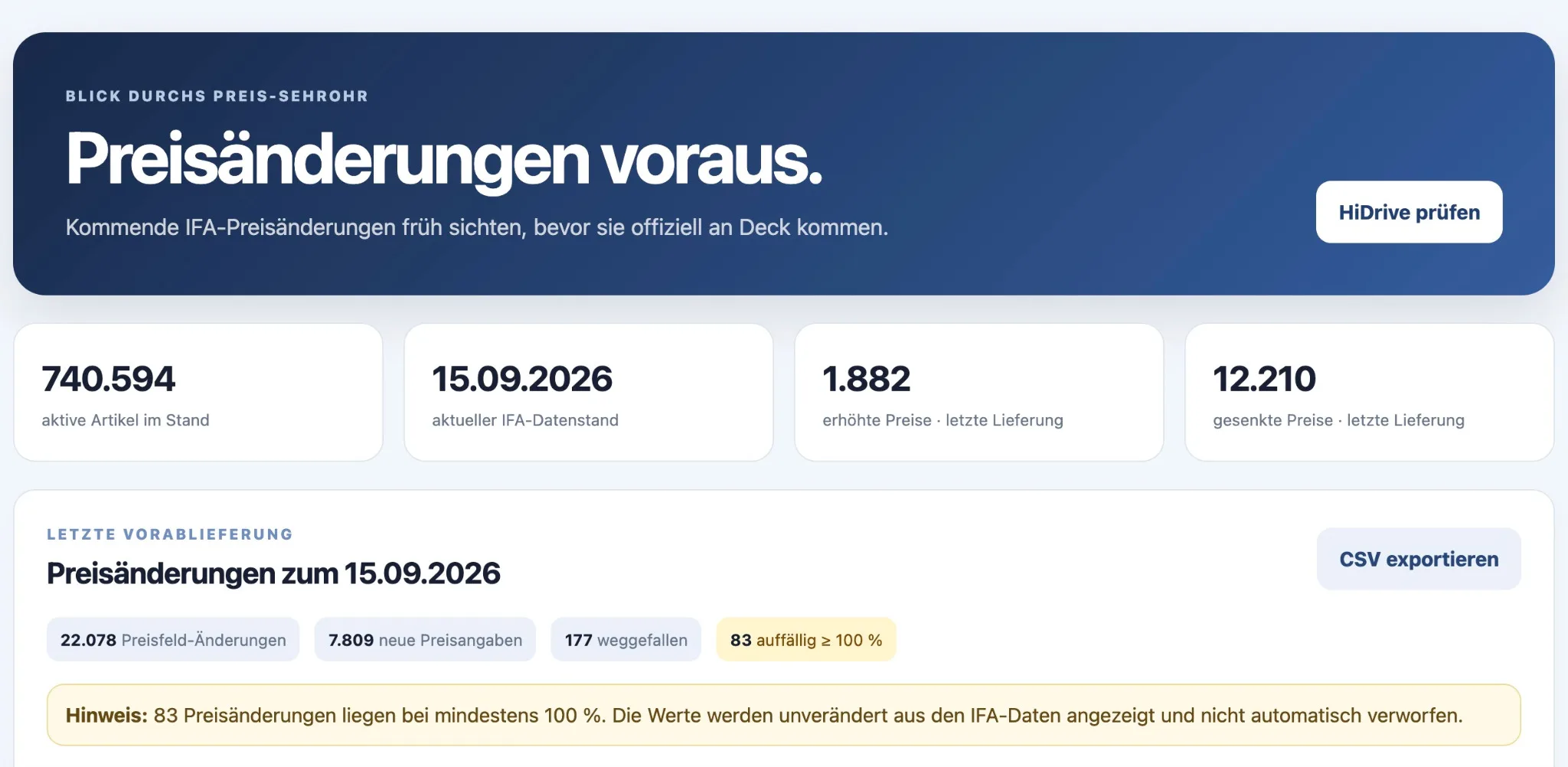
Large IFA datasets are condensed into key figures, upcoming price changes and conspicuous movements. The dashboard creates an early operational view and provides exports for further processing.
For confidentiality reasons, the examples are shown only as visual representations derived from one company environment. Some of the maritime wording is intentional and helps anonymise real workflows, content and naming. The aim is primarily to illustrate the kinds of web applications and automations that can be built in practice.
For a small business, a long chain of account managers, project managers and developers often adds more overhead than value. You discuss the requirement directly with the person who examines the process and builds the solution.
What happens today? Where does time disappear? Which data already exists? What genuinely has to improve?
Build the smallest solution that solves the real problem cleanly instead of starting with the largest possible feature list.
Put the tool into practice, observe what matters and refine the parts that prove useful in everyday work.
 ROBERT SEEMANN · SYSTEMS TINKERER
I have been working with web technology since 1997. What began with hand-built websites gradually expanded into databases, e-commerce, automation, structured data and purpose-built web applications.
robnet.dev is intentionally not presented as a large agency. You work directly with me, and I stay close to the practical problem from the first conversation to the finished solution. The label Systems Tinkerer remains because it describes the curiosity behind the work — it is simply no longer the first thing a customer has to decode.
More about me and the route from dial-up to todayThe lab is the technical playground of robnet.dev: small experiments, visual ideas and the retro terminal — deliberately a little more playful than the business side of the site.
A real 3D cube built entirely with CSS. Each side represents an area in which small teams can gain time, clarity or control through a focused web solution.
Move the pointer over the cube to pause the rotation.An interactive retro terminal with small utilities, technical snippets and a little command-line nostalgia. Not required to understand my work — but worth a visit if a blinking cursor still feels inviting.
Open terminalA rough description is enough for the first contact. Especially in a small team, the interesting question is often simple: which recurring work could be made easier, clearer or more automatic? You do not need to know which technology should be used — that is part of the analysis. I work independently of location.